Posted on
I needed to draw the shadow of a planet on its rings. To render the rings, each point on a disk around the planet is drawn separately, and the inputs are the angle of the line from the center to the point and the length of that line. That turns out to be a polar coordinate system, where each point is parametrized by some length and angle .
Now the shadows. Since the light source (Sun) is pretty far away (like a trillion meters or something) we can consider its rays parallel. That means that in an ideal world the planet's "shadow" (the portion of space that light doesn't reach) is a cylinder the same radius as the planet, and its caps perpendicular to the light rays. Since our rings are almost parallel to the planet's orbit, the shadow intersects the ring disk in a sort of rectangular shape.
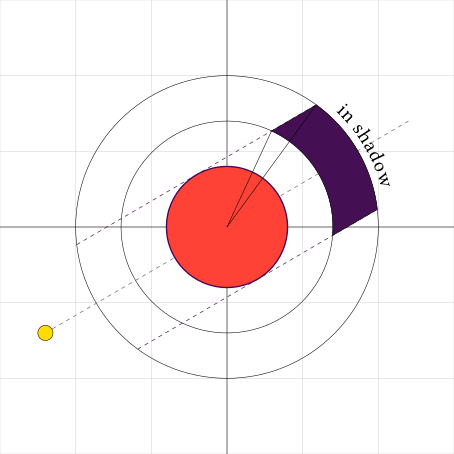
is the radius of the planet (in red) relative to the rings (so that the outer disk radius is )
Notice how the angles of the two lines from the origin to the shadow's edge have different angles? That might feel complicated at first, since straight lines in polar coordinates are kind of weird! But let's simplify things and take a single circular "slice" of the disk, at radius .
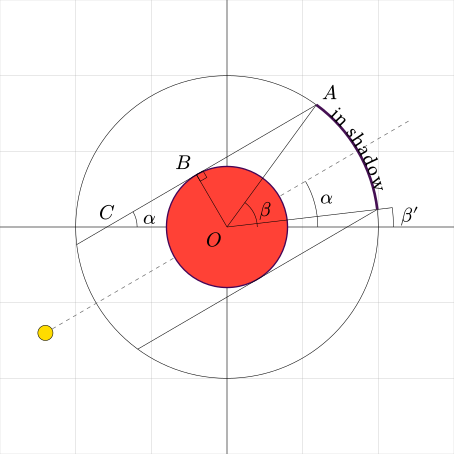
is the angle of the Sun, and are the angles of the shadow's edges.
Now, since is fixed, we only need to check if falls into our shadow. That boils down to figuring out if is between the angles and . After a bit of trigonometry, we can conclude that
Ok, looks like we're done! Yay! Here's the shader code:
bool is_in_shadow(
  float radius,   // = r
  float angle,    // = θ
  float sun_angle // = α
) {
  float d = acos(relative_planet_radius / radius);
  float l = angle - d; // = β or β'
  float r = angle + d; // = β' or β
  return l <= angle && angle <= r;
}
If we actually run this, it works! But let's fast-forward a couple hundred years (Saturn has a big orbit) just to be sure that it doesn't break.
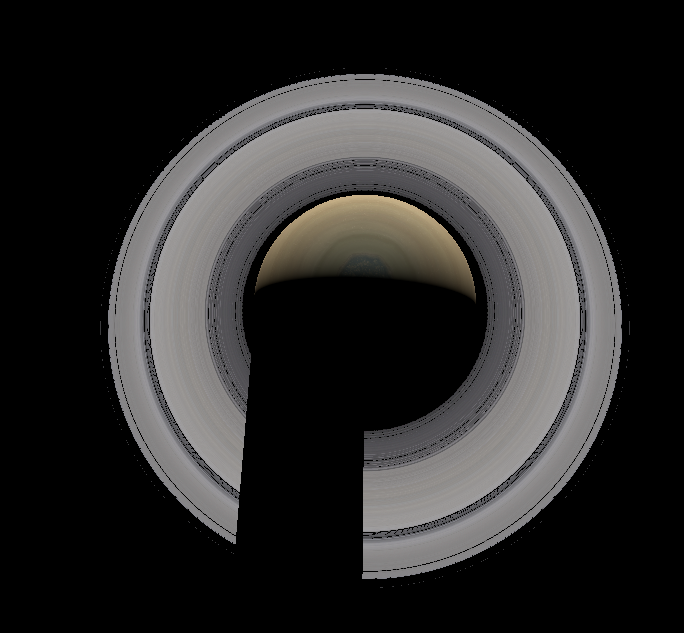
Oh...
Let's try to figure out what's happening: the shadow is getting cut off at a certain angle and then it appears again. Oh! (after like an hour) Looks like we forgot that and are in the range , since that's what
atan2 returns1, but the s can be outside of it! Let's try to come up with an example that breaks our check. Say is , and . On a unit circle it would look like this:
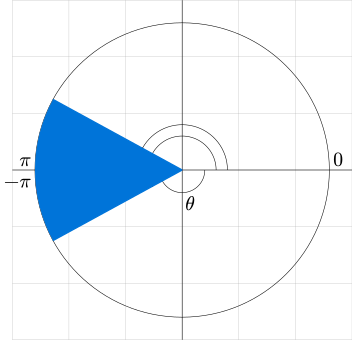
Notice how looks like its inside of the blue region, but numerically, the angles don't overlap: is false. To actually check if the angle is inside, we need to add to it, to bring it in the same period as the edges. Interestingly, we don't even need to check for this situation explicitly (ifs are costly on the GPU)! We can compare , , and with the s regargless of what the values are, and if any of the results is true, the point is between the angles. This is how it would look in code:
// returns true if a <= b <= c.
bool is_ordered(float a, float b, float c) {
  return a <= b && b <= c;
}

bool is_in_shadow(
  float radius,   // = r
  float angle,    // = θ
  float sun_angle // = α
) {
  float d = acos(relative_planet_radius / radius);
  float l = angle - d; // = β or β'
  float r = angle + d; // = β' or β
  return
    is_ordered(l, angle - 2.0 * PI, r) ||
    is_ordered(l, angle, r) ||
    is_ordered(l, angle + 2.0 * PI, r);
}
Here's the pretty image:
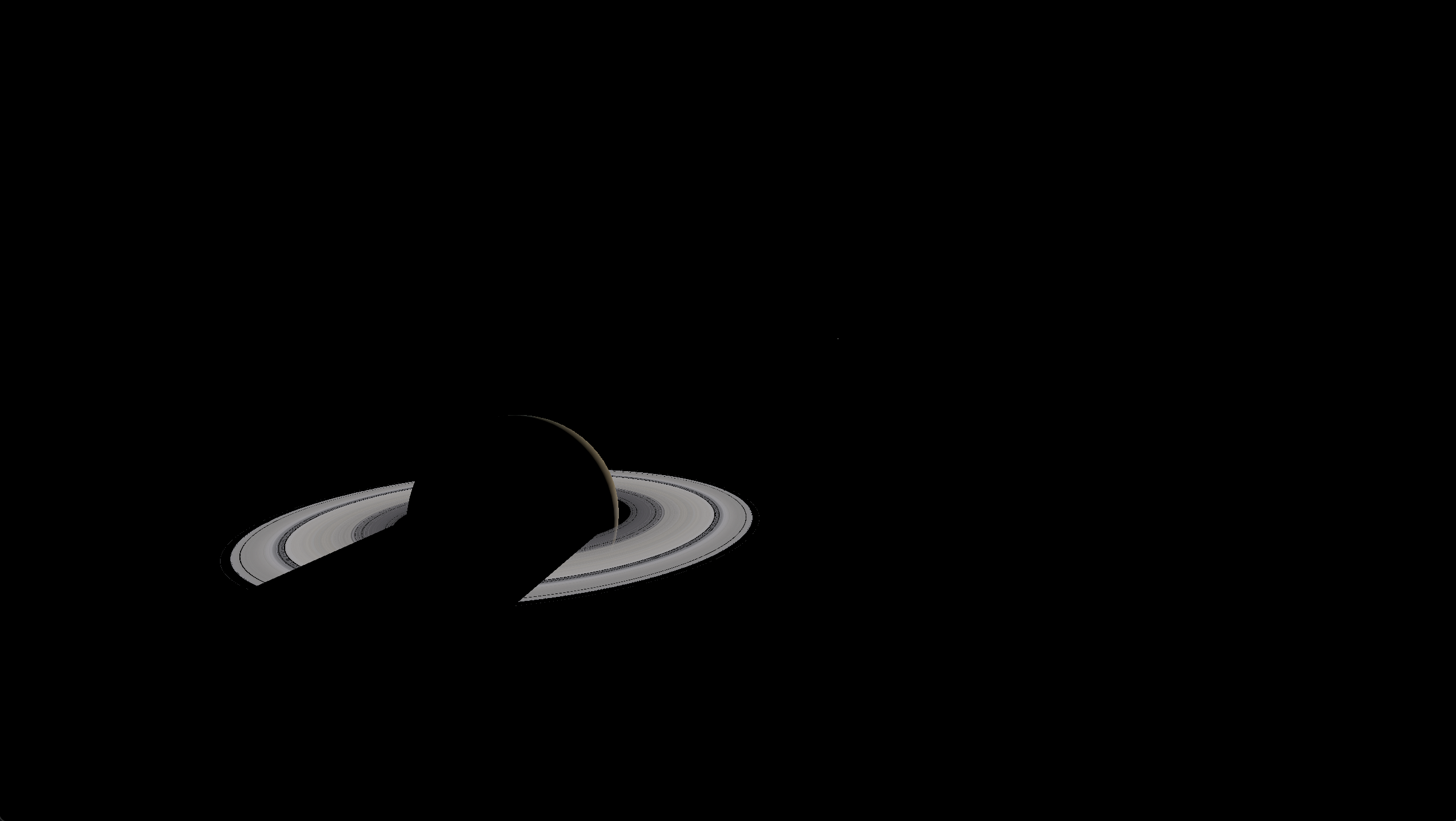
- I'm using
atan2to get the angles, but they could just as well have been constrained to , the problem would still exist, just at different angles. ↩